

Guide for learners
Sign in, find your classes, join a live session, ask and vote on questions, and look back at past sessions.
Who this guide is for
You take part in your organisation's classes. Each class is taught live by an AI teacher, on a timetable, following a lesson plan your organisation approved.
Before you start
There are three ways in:
You were invited: open the link in your invitation email and choose a password.
You registered on your organisation's public page: select Create an account there.
You have a join link or a class code: you can join that class as a guest, without an account, while its lobby is open.
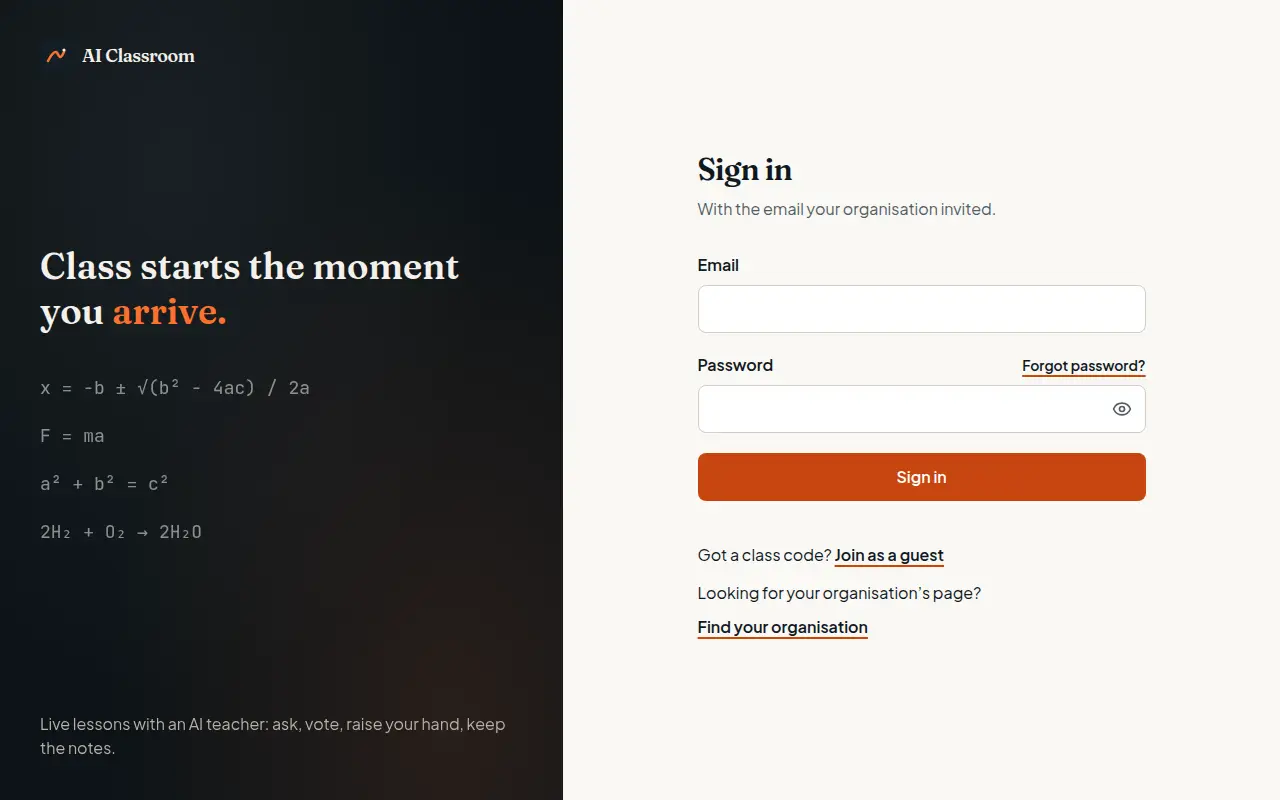
To sign in, open your organisation's address and select Sign in. Enter your email and password; pupils whose school manages their account sign in with a username instead.
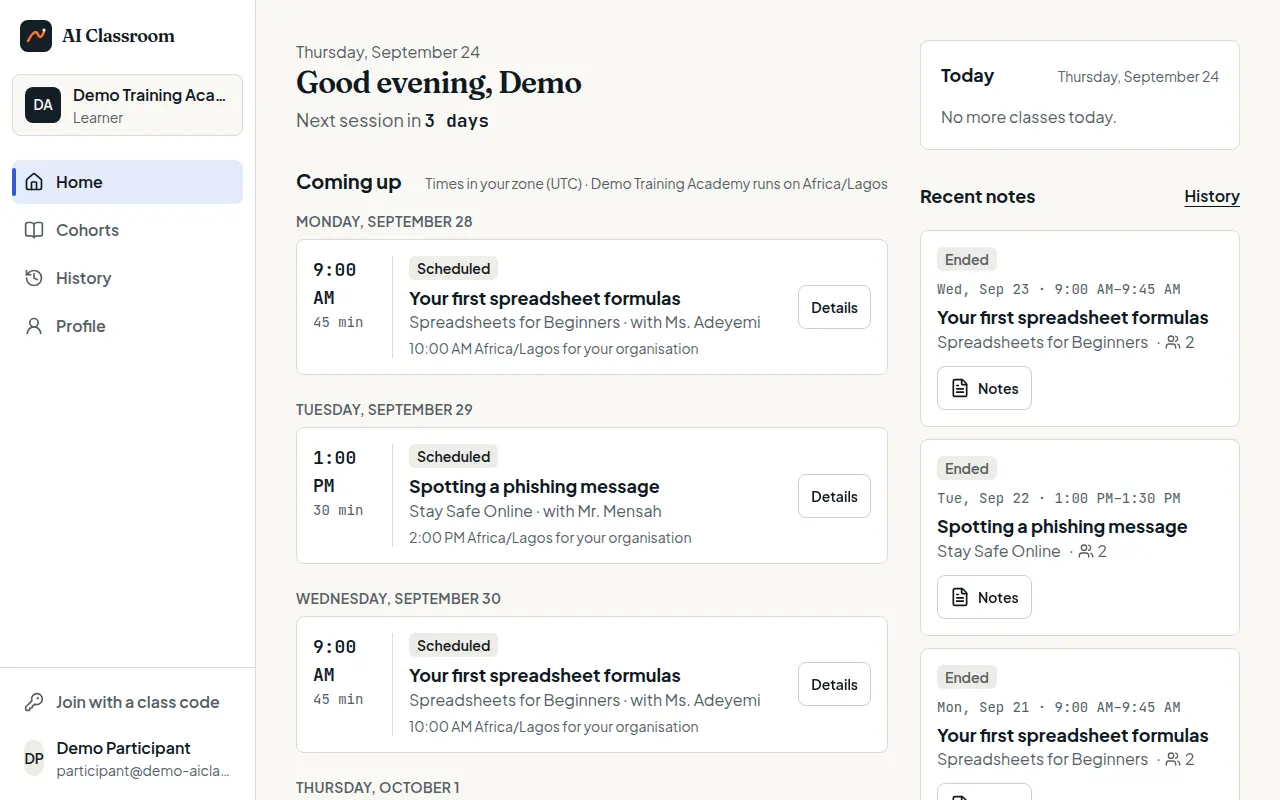
Home: what is coming up
Home shows your next sessions, in your own time zone, with the organisation's time zone beside it.
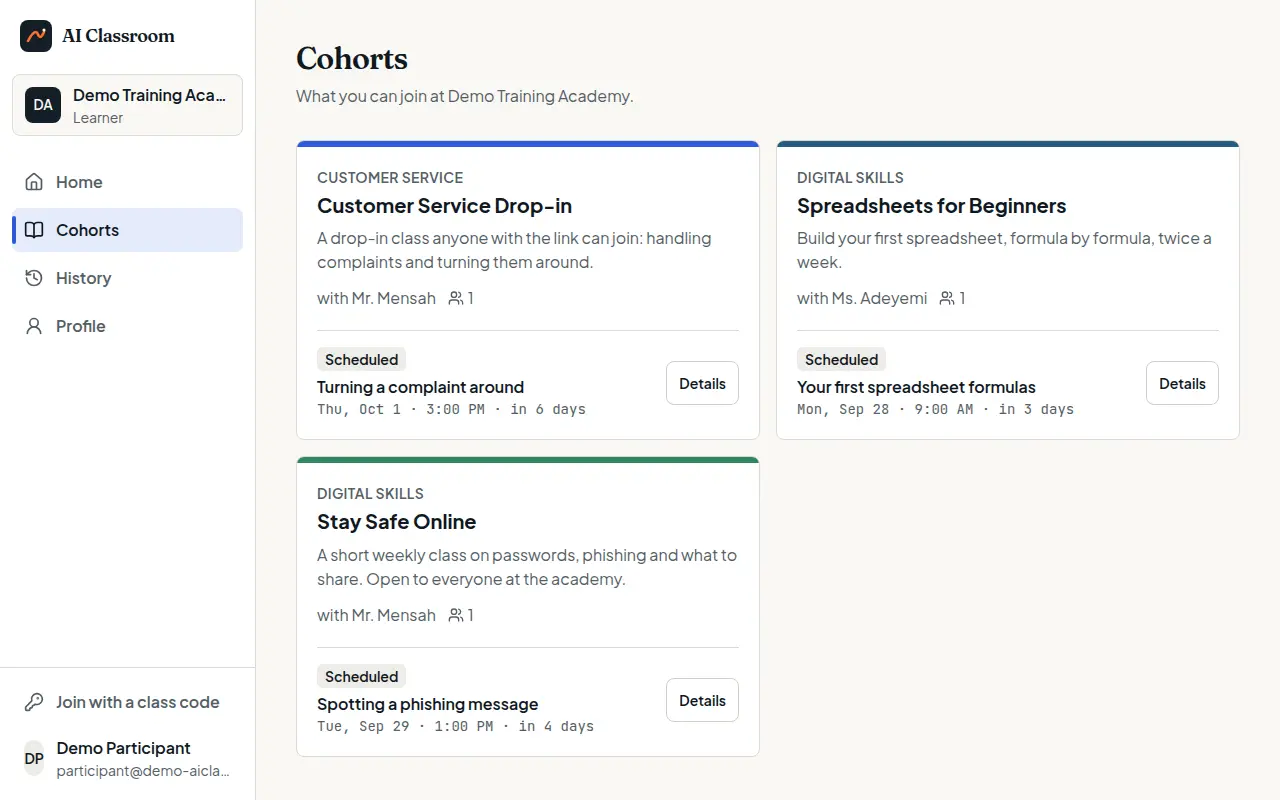
Your classes
Open Classes (Cohorts in some organisations) for every class you can join, with its AI teacher and next session. Open one for its details and upcoming sessions.
To join a class you were given a code for, select Join with a class code.
Join a live session
A few minutes before the start, the session's lobby opens. Select it from Home or from the class.
The session starts when the first participant arrives. The AI teacher welcomes the room and teaches the lesson, with captions and a board.
Post a question on the question board, and vote on other people's. The teacher answers the questions with the most votes.
Raise your hand to speak. When the teacher hands you the microphone, your browser asks for permission to use it.
The session ends at the end of the slot.
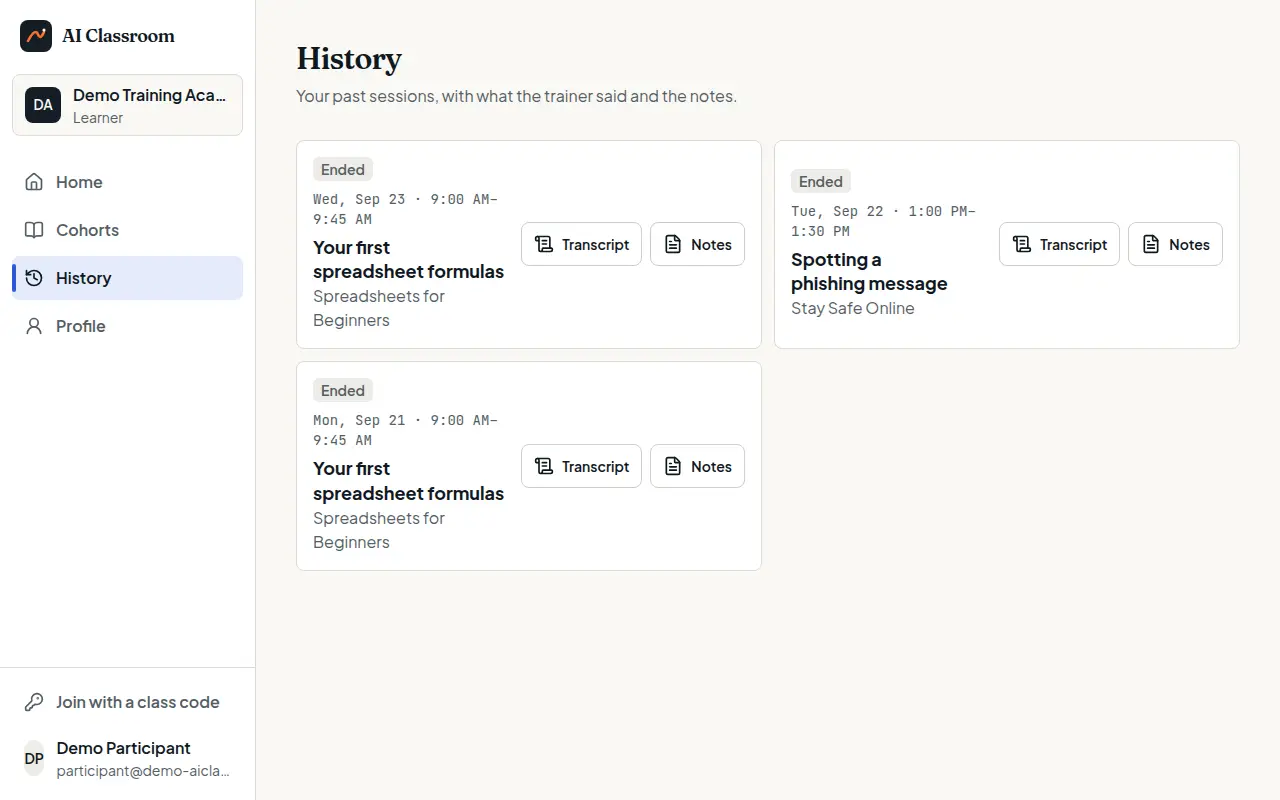
Look back
Open History for your past sessions. For each one, Transcript shows what the teacher said and the questions answered, and Notes shows the class notes.
Your profile
Open Profile to change the name shown beside your questions, choose light or dark appearance, switch to another organisation you belong to, or sign out — here, or on every device.
Tips and common questions
I cannot see a class. You may not be enrolled in it. Ask your organisation, or request access from its public page.
I forgot my password. Select Forgot password? on the sign-in page and follow the email.
The microphone does not work. Allow microphone access for your organisation's address in your browser settings, then rejoin.
Getting help
Ask your organisation first: its contact details are on its public page.
Try it yourself in the live demo.